

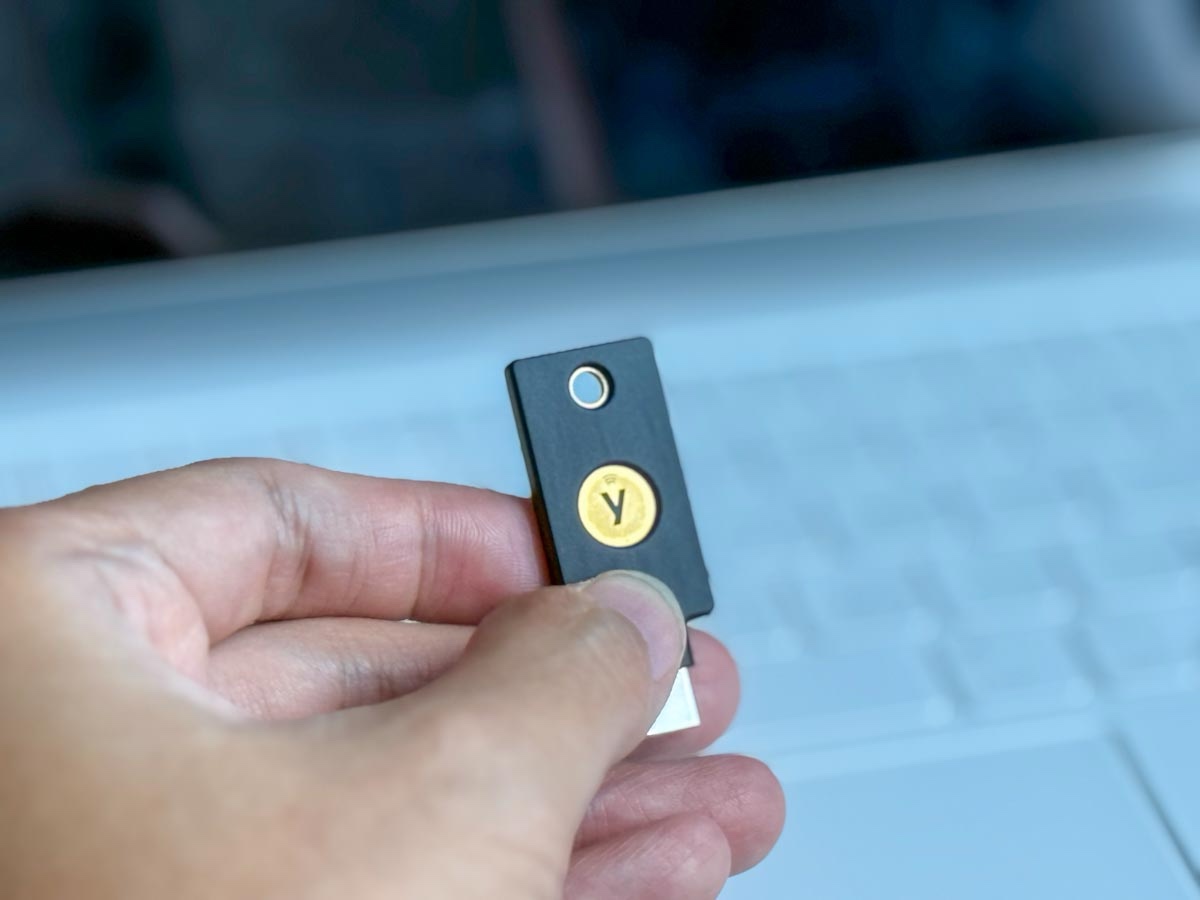
Yubico has launched a new security key called YubiKey 5C NFC to protect your online credentials, giving you peace of mind especially in this hack-rampant world.
A security key is a form of multi-factor authentication (MFA) that prevents hackers from easily accessing your account after they manage to get past your username and password.
It is like the small device with keypads we used to carry around when we needed to access our bank accounts and make transfers, which has now been digitalized.
YubiKey 5C NFC is one of those security keys but without keypads. It has a slim and low-profile form factor that is easily carried around on your keychains or in one of your tech pouches.
So why do we need a physical security key like the YubiKey 5C NFC?
I have always believed that with all things over-the-air, there’s always a chance for manipulation like being socially engineered to divulge your key and interception like SMS-based One-Time Password through SIM swapping. Hence, having a physical security key gives better peace of mind.
What’s so special about the YubiKey 5C NFC?

The YubiKey 5C NFC supports many security protocols like FIDO2/WebAuthn (hardware-bound passkey), FIDO U2F, Yubico OTP, OATH-TOTP, OATH-HOTP, Smart card (PIV), and OpenPGP. This means that you can be assured it will be compatible with most, if not all, security requirements of platforms like email services of Google, Microsoft 365, Instagram, LinkedIn, X, Outlook, LastPass, 1Password and more.
Another fascinating thing about the YubiKey 5C NFC is that it does not require a battery or network connectivity, allowing you zero downtime. Moreover, this small security key is resistant to water and, as Yubico states, “crushing.”
How it works

There are several ways you can get your YubiKey 5C NFC linked with your online accounts – set it as your MFA, pair it with the Yubico Authenticator app, and Passkey. For me, the former – setting it up as my MFA – is good enough for my purpose.
If you are already using a YubiKey 5C NFC compatible online service provider, setting up the security key is pretty straightforward.
For example, when pairing it with your Gmail account, go to Manage Your Google Account. Under the Security tab, you will find 2-Step Verification. Select Passkeys and security keys. It may say that your device does not support passkeys. Don’t worry, select Use another device. You will be prompted to key in your security key, meaning your YubiKey 5C NFC. Insert it and tap on the letter Y on your key to complete the setup.
What’s next?
Now that you are all set up, the next time you need to log in to your account, you will be prompted to use your security key. Just plug it in and tap on the letter Y to do the trick, or you could just tap on your phone if it’s NFC-compatible.
Should you get one?
From a security standpoint, I highly encourage everyone to have at least one security key from a trusted source like Yubico. The YubiKey 5C NFC is easy to use, and there is almost zero downside to having one to protect your online accounts – except that you need to carry a physical key with you, which you may find inconvenient.
I think we should stop trading the convenience of OTP and get a security key to authenticate access to our accounts. This is in view that we will have even more online accounts in the future, and it’s hard to keep track of all their security. So, having them all paired to your YubiKey 5C NFC can give you additional peace of mind that even when your credentials are leaked, your accounts will remain secure.
The YubiKey 5C NFC is going for around S$92 and it is available online at Vaultum City, and the resellers for businesses are Asiapac Technology and ST Engineering Info-Security.


Share your thoughts